Ua li cas hloov theme thiab duab tom qab ntawm music player hauv Android
Nias lub cim profile kheej kheej nyob saum toj sab xis ntawm AT Player kom qhib Menu, ces nias Cov Theme hauv qab Settings thiab nias ib lub. App yuav hloov mus rau qhov saib tshiab tam sim ntawd. Yog xav siv koj tus kheej duab tom qab, nias Koj Daim Duab hauv tib daim phiaj ntawd thiab xaiv ib daim duab hauv xov tooj.
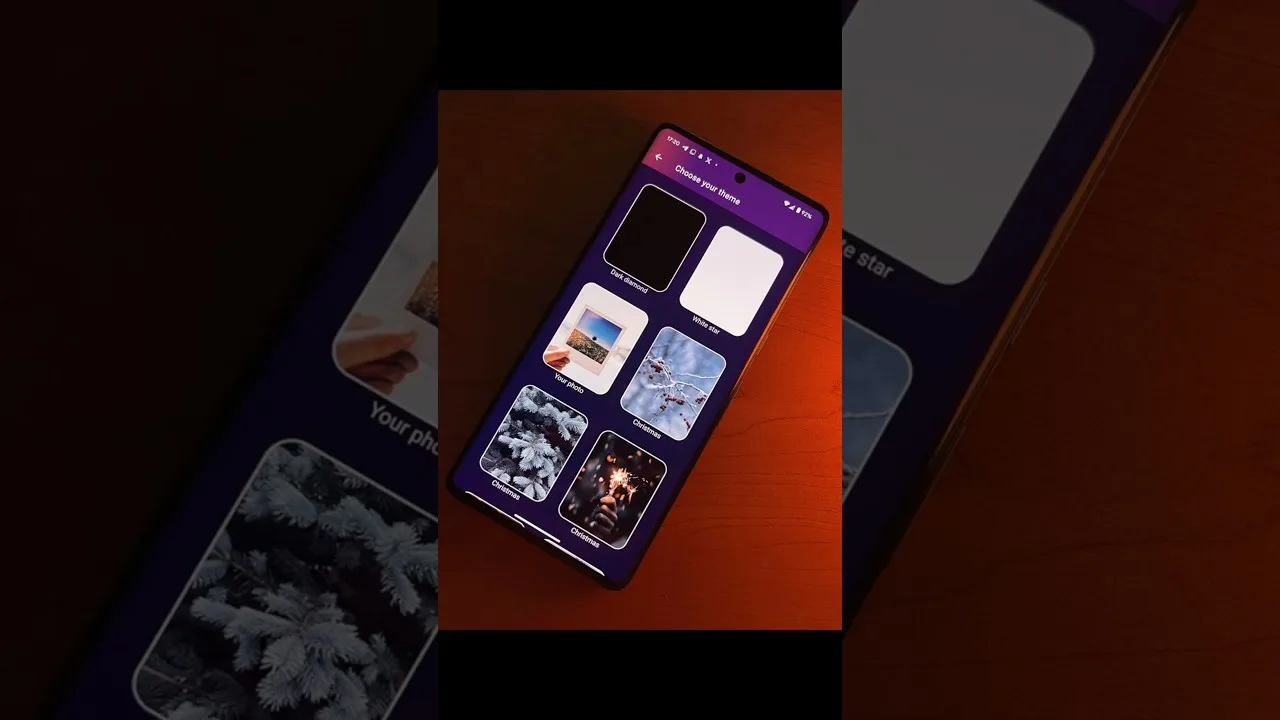
Hloov theme
- Nyob rau txhua lub tab loj, nias lub cim profile kheej kheej nyob saum toj sab xis. Tom qab koj nkag rau hauv account, tej zaum nws yuav qhia koj daim duab hloov chaw.
- Txav nplooj Menu mus rau hauv qab txog Settings.
- Nias Cov Theme, kab thawj nyob ntawd. Nws qhia lub npe ntawm theme uas koj siv tam sim no.
- Nias ib lub hauv daim phiaj Xaiv Theme.
Daim phiaj yuav kaw thiab nplooj Menu rov qab los nrog theme tshiab, lub xub rov qab coj koj mus rau lub npo loj. Tib daim phiaj kuj qhib tau ntawm Tag nrho cov settings, ces Xaiv Theme. Cov version qub muaj cov theme nyob saum toj ntawm lub npo loj, txij li thaum muaj lub npo loj tshiab hauv Lub Kaum Ib Hlis 2026 los, cov theme nyob rau ntawm nplooj Menu.
Cov theme hauv daim phiaj
Muaj tsib lub theme nrog app los, nyob ib sab ntawm lub Koj Daim Duab.
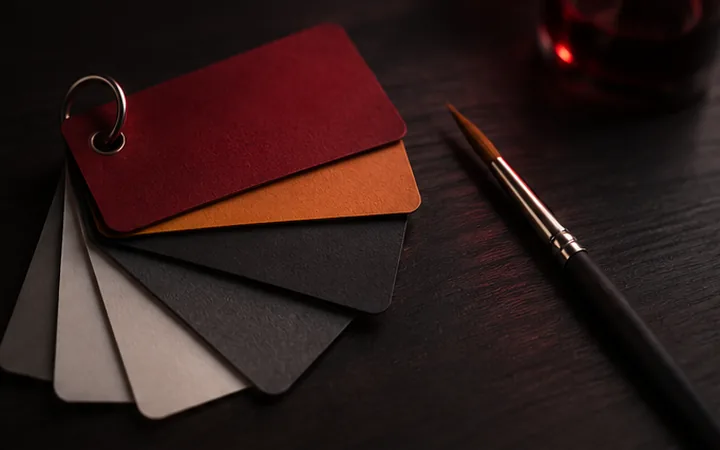
- Thee Liab, tsaus nrog lub teeb ci xim txiv kab ntxwv thiab xim liab paj yeeb, yog theme uas app teeb cia txij li qhov hloov tshiab Lub Kaum Ib Hlis 2026.
- Pob Zeb Kim Tsaus, xim dub, yog theme uas app teeb cia ua ntej Thee Liab.
- Hnub Qub Dawb, theme kaj.
- Hnub Tuaj Saum Roob thiab Ceev Npaum Hluav Taws, ob lub theme duab.
Thaum xov tooj txuas internet, yuav muaj ntau lub theme duab ntxiv los rau hauv tib daim phiaj. Thaum Lub Kaum Ib Hlis thiab Lub Kaum Ob Hlis, cov theme Christmas nyob tom qab Koj Daim Duab.
Muab koj daim duab ua duab tom qab
- Qhib Menu thiab nias Cov Theme.
- Nias Koj Daim Duab, lub nyob ib sab ntawm Hnub Qub Dawb.
- Tso cai rau app nkag tau yog nws thov.
- Xaiv ib daim duab uas khaws cia hauv xov tooj.
Daim duab yuav puv lub npo nyob tom qab koj cov npe, tsaus me ntsis kom cov ntawv dawb tseem nyeem tau zoo. App txiav nws kom haum lub npo, yog li daim duab ntev ntsug zoo tshaj. Yuav hloov daim duab, nias Koj Daim Duab dua thiab xaiv lwm daim.
Tib nplooj Menu kuj muaj cov cuab yeej thiab, xws li Playlist AI (lub tshuab tsim playlist AI ua haujlwm li cas) thiab Tsim Suab Paj Nruag AI (tsim koj tus kheej zaj nkauj nrog AI).
Yam uas cov theme tsis ua
- Tsis muaj qhov xaiv xim, cov xim los nrog theme uas koj xaiv.
- Theme tsis hloov raws li dark mode ntawm xov tooj, nws nyob li ntawd mus txog thaum koj xaiv lwm lub.
- Koj daim duab tsis muaj qhov ua kom plooj lossis qhov kho kev ci.
- App qhia koj daim duab ntawm qhov chaw uas nws khaws cia. Yog koj tshem lossis txav nws hauv xov tooj, duab tom qab yuav ploj mus txog thaum koj xaiv nws dua.
- Daim phiaj tsis cim theme uas koj siv tam sim no. Kab Cov Theme ntawm nplooj Menu qhia nws lub npe.
Cov Lus Nug
Vim li cas kuv lub theme hloov tom qab hloov tshiab?
Nrog qhov hloov tshiab Lub Kaum Ib Hlis 2026, Thee Liab tau los ua theme uas app teeb cia, thiab cov xov tooj uas siv Pob Zeb Kim Tsaus tau hloov mus rau nws ib zaug. Xaiv Pob Zeb Kim Tsaus hauv Cov Theme ces nws yuav nyob li ntawd.
Puas muaj dark mode?
Thee Liab thiab Pob Zeb Kim Tsaus yog theme tsaus, Hnub Qub Dawb yog theme kaj. App tsis hloov nws tus kheej raws li dark mode ntawm xov tooj.
Kuv puas siv tau kuv daim duab ua duab tom qab?
Tau. Qhib Menu, nias Cov Theme, nias Koj Daim Duab thiab xaiv ib daim duab hauv xov tooj.
Lub khawm tsho T-shirt mus qhov twg lawm?
Cov theme tau txav mus rau nplooj Menu nrog lub npo loj tshiab. Nias lub cim profile saum toj sab xis, ces Cov Theme.