How to play two YouTube videos at once on Android
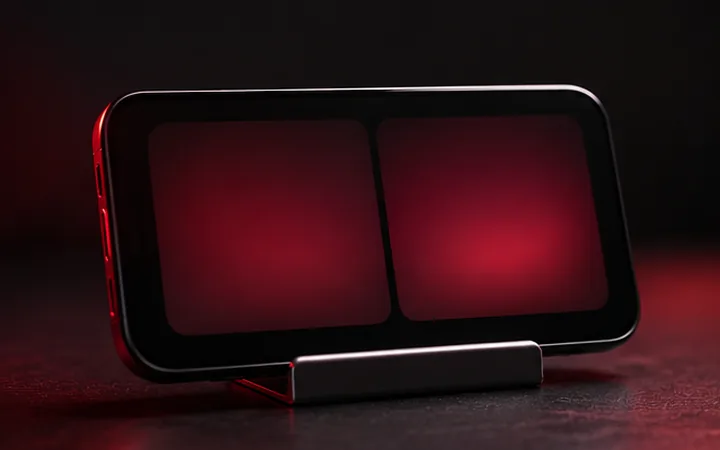
Android's split screen shows two apps at once, but it gives sound to one app at a time, on Android 12 and newer the first video fades out when the second starts. Multi-View in AT Player plays two YouTube videos together, one above the other. Open a video, tap the two-rectangle button next to the heart and pick the second one.

The built in way - split screen
Steps on a Pixel, some need Android 14, other phones differ a little.
- Open the YouTube app and start a video.
- Swipe up from the bottom of the screen, hold and let go.
- Tap the YouTube icon at the top of its window.
- Tap Split screen.
- Tap Chrome in the other half.
- Open youtube.com there and start the second video.
Both videos are on the screen now, but only one app holds the sound at a time. On Android 12 and newer the system fades out the playing app when another one starts, and it stays muted.
Google's pages on this - two apps at the same time on a Pixel, audio focus.
Play two videos with Multi-View
The video above shows the older look of the app, these steps match the current one.
- Tap Search at the bottom of AT Player.
- Search for a video and tap it.
- If the player does not open, tap the player bar at the bottom.
- Tap the button with two rectangles under the video, left of the heart. The player folds into the bar and the app says Multi-view active. Select a video for the split screen.
- Search for the second video, or open one of your playlists.
- Tap the video.
- Tap 2nd when the app asks Play video on which screen?
The player opens with the first video on top and the second under it, both playing. Your own YouTube playlists work here too, see how to import YouTube playlists.
Shorter, while a video plays - tap the three dots next to any YouTube video in a list and tap Play on Split Screen. That video starts in the lower half.
Control each video
- The play button of the player pauses both. Next and previous change only the top video, it goes on through its list.
- The lower video has its own YouTube controls. Tap it to pause it alone, play it again or move along its timeline. It plays one video and stops at the end.
- There is no volume for each video. The phone's volume buttons set both, pause the lower one to hear the top one alone.
- To change a video, tap another YouTube video and pick 1st for the top or 2nd for the lower half. There is no swap button.
- Go to the home screen while both play and they go on together in the small picture in picture window.
To leave Multi-View, open the player and tap the two-rectangle button again. The app says Split screen off, the lower video stops and the top one plays on alone. Stop in the Play video on which screen? question does the same.
What the app does not do
- It does not play YouTube in the background or with the screen off, and it never downloads YouTube videos. They play only while you see them, in the app or in the picture in picture window. For music with the screen off, see how to download music for offline listening.
- Multi-View is for YouTube only. Radio, downloads and files on the phone play the usual way.
- Two videos, not more, always one above the other. Turned sideways they still share the screen top and bottom.
- The lower video does not play alone. Start it while the top one is paused and the top one starts too.
Questions
Can Android play two YouTube videos at once without an app?
Split screen shows two apps, for example YouTube and Chrome. Only one of them plays sound at a time.
Can I set the volume of each video?
No, both follow the phone's volume buttons. Pause the lower video to hear the top one alone.
Do both videos keep playing when I leave the app?
Yes, in the picture in picture window while the screen is on. With the screen off YouTube stops.