How to use an AI playlist generator on Android

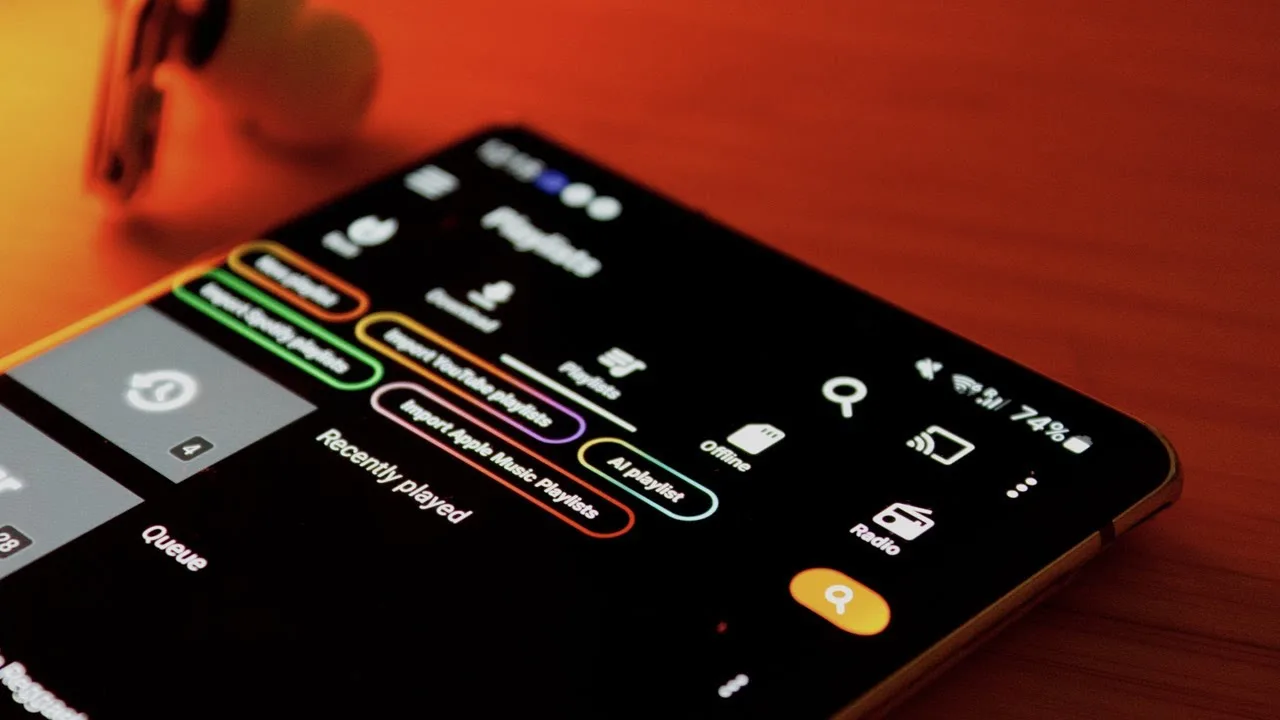
In AT Player open the Playlists tab, tap AI Playlist, describe what you want to hear and tap Generate. The app then opens a new playlist of about 30 songs with a name it picked itself. It is free, with a daily limit.
Make a playlist from a description
- Tap Playlists at the bottom of the screen.
- Tap AI Playlist at the top of the list.
- Type a style into Genre if you have one in mind, for example 90s hip hop. It can stay empty.
- Describe the playlist in Describe your music… - the mood, the moment, the decade.
- Tap Generate.
- Keep the screen open while Creating playlist… shows.
- The app switches to Playlists and opens the new playlist. Tap any song to start it.
The two other ways in lead to the same screen. Tap the icon at the top right, next to search, to open Menu and tap AI Playlist under Tools. Or scroll to the end of Home, where AI Playlist sits next to Generate AI Music.
Prompts that work
Tap the description field and a grey example shows, one of three - classic rock anthems and pop hits for a road trip, early 2000s dance hits, or a high-tempo EDM and hip-hop workout mix. Type its first letter and the field takes the whole example.
Your own words work the same way. Name the mood and the moment, like these:
- Quiet acoustic songs for a rainy Sunday morning
- 80s synth pop for a night drive on an empty highway
- Upbeat Latin pop for cleaning the house
- Slow soul ballads from the 70s for a dinner for two
- Indie rock with big choruses for a run in the park
Put the genre into Genre and the rest into the description, or write it all in the description and leave Genre empty.
Where the playlist lives
It is an ordinary playlist in Playlists, next to the ones you made by hand. Tap the three dots next to it for Rename or Delete playlist. Every tap on Generate makes a new playlist, delete the ones you do not keep.
The daily limit
Without Premium the generator has a daily limit. Once it is used up, a tap on AI Playlist shows Daily playlist limit reached instead of the screen, with an offer of Premium, which has no limit. A day later it works again.
What the AI playlist does not do
- It does not download the songs. They stream over the internet as YouTube videos, so they need a connection and do not play with the screen off or in the background. Songs to keep on the phone come from the Download tab, its results are marked Not YouTube, see how to download music for offline listening.
- It does not look at what you played before. The list comes from the words you type.
- It does not change a playlist you already have, it always makes a new one.
- Now and then a song from the list cannot be found to play. Skip to the next one.
To turn the same kind of description into a song of your own instead of a playlist, see how to make a song with AI.
Questions
Is the AI playlist generator free?
Yes, with a daily limit. Premium removes the limit.
Can I listen to an AI playlist offline?
No, its songs stream over the internet. Offline you can play songs from the Download tab and music files on your phone.
How do I rename or delete an AI playlist?
In Playlists tap the three dots next to it. Then choose Rename or Delete playlist.
What does Restricted words detected mean?
The app could not make a playlist from that text. Tap AI Playlist again and describe it in other words.